As students and staff settle into the school year, it’s time to review new resources for teaching digital citizenship. I’m lucky to share this annual task with Kathleen Watt, co-director of our district’s digital citizenship program. Every September, we send out an email to our school site #DigCit coordinators with a link to a Google […]
digital citizenship
How Can a Distracted Generation Learn Anything? – An Interview with BBC

Two weeks ago, via my district email, Nicholas Mancall-Bitel contacted me with a request: “I’m a freelance writer working on an article for BBC Capital about the challenges of teaching Gen Z (ages 10-24) and Gen Alpha (ages 0-9) students. The basic premise of my piece is something like ‘How to Teach a Distracted Generation,’ focusing on how […]
#DigCitCommit – Heading into the New School Year
With the start of the new school year only days away, it’s time to send out some new #digcit resources to teachers and administrators. This annual email is something my colleague Kathleen Watt and I send off in August as part of our district’s digital citizenship program. Typically, the new resources come from sessions attended or […]
Five #DigCit Shout Outs to ISTE

I’ve been a long-time fan and promoter of ISTE’s significant contributions to digital citizenship resources for teachers and students. So I wanted to give some #DigCit shout outs: Shout Out #1: ISTE Standards for Educators – Standard 3: Citizen – I love the emphasis on students as creators and contributors, not just consumers of information. And […]
Two Reasons Why Teaching about Copyright Just Got Easier
“Great leaders give credit.” George Couros If you consider teaching students about their intellectual property rights and responsibilities an essential component of a digital citizenship program, I’m with you. So thanks to a recent change by Google and a new Google Docs Add-On by teacher Brandon Dorman, we have two great items to spark discussions […]
Digital Citizenship – It’s not just for students
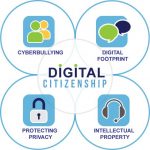
In recognition that we are living in a “post-truth” era, rampant with “fake news,” and that we all need media literacy skills, I’ve been gathering resources, collaborating with colleagues, and creating presentations geared to both students and staff. I’m adding to my Media Literacy site almost daily, with a weekly featured resource. For the past 10 […]
Teaching Digital Citizenship in 2017
Digital citizenship is often cited as the fastest changing subject in the K-12 curriculum. Thinking back 10 years to 2007, when I first began rolling out a digital citizenship program for my district, we were using iSafe, a curriculum that focused on keeping students safe from others. “Stranger danger” was a big concern, with much […]
Blogging – A powerful digital literacy/digital citizenship tool

I work in the Technology Services Department for a large public school district. I love my job (technology integration specialist) and truly appreciate my department’s support of programs that promote digital literacy and the potential for students – and teachers – to advance from digital citizens to global citizens. With this week’s start of the […]
Creating a Culture of Civility
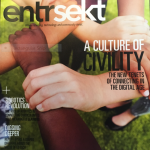
The October issue of entrsekt, ISTE’s quarterly journal, immediately caught my attention – with the cover boldly featuring Jennifer Snelling’s “A Culture of Civility: The New Tenets of Connecting in the Digital Age.” In a highly contentious election-year atmosphere, I really appreciate having at my fingertips the research, examples, and reminder that “Civility and […]
“Oh no they didn’t!” – Modeling good digital citizenship
I blog often about digital citizenship topics. Part of my day job (technology integration specialist for the Elk Grove Unified School District) involves supporting the teaching of digital citizenship across grade levels and subject areas. Beyond the school day, I co-curate the Digital ID Project. Back to my day job. For the past 7 years, […]